
 Dexira ITSM
IT service management, on your own terms.
A complete platform for your service desk, assets, CMDB, changes and remote support. Installed on your servers, connected to your Active Directory, in Arabic and English, and licensed by what you actually use.
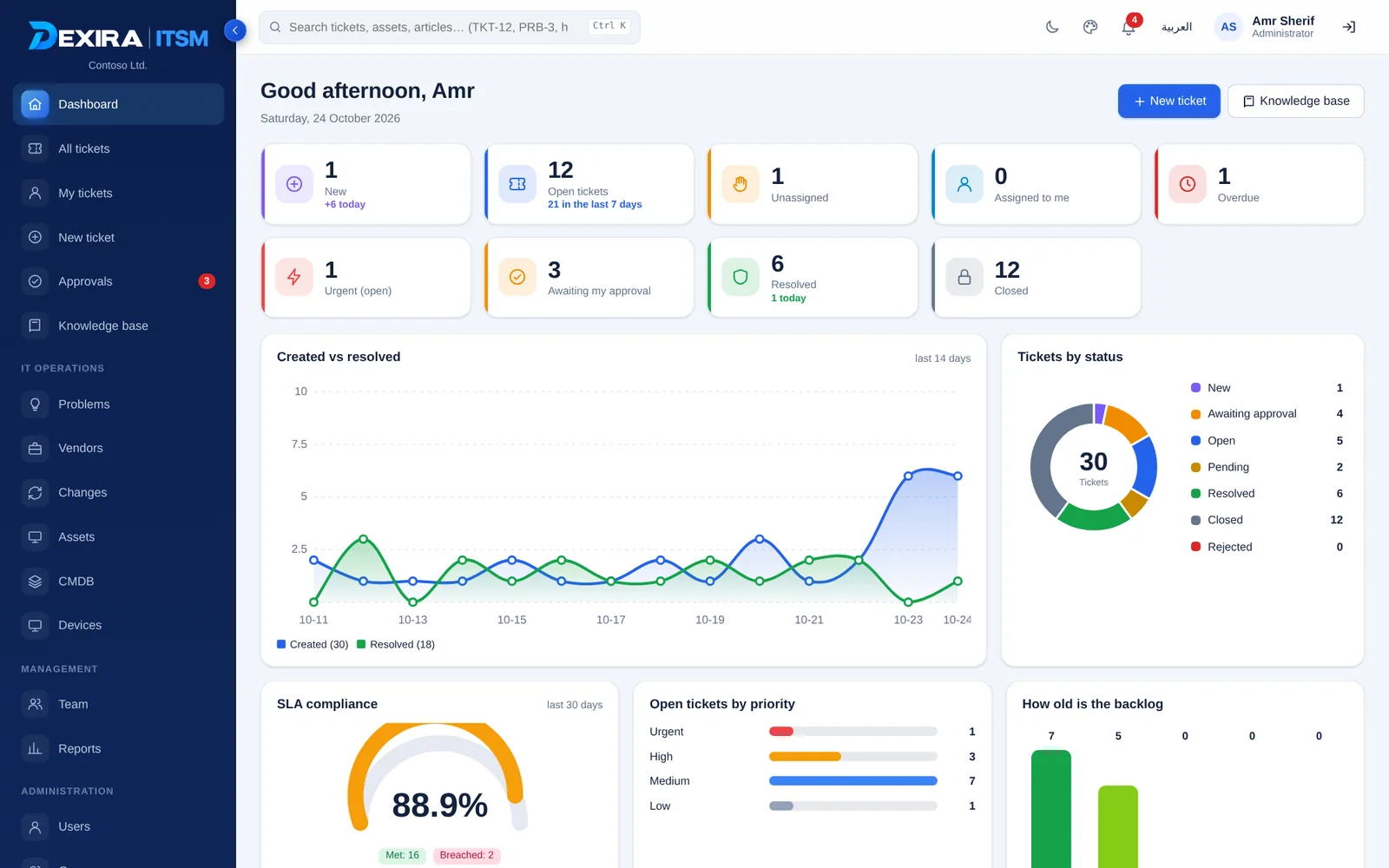
Everything an IT team needs, nothing it does not.
Yours to host
Install on your own Windows server. Your tickets, assets and CMDB stay on infrastructure you manage.
Control by design
Consent for remote sessions, rights per person, two-factor sign-in and a complete audit log.
Complete, not cluttered
Service desk to CMDB, shown only when your license includes them.
Arabic and English
A full right-to-left interface, bilingual reports and e-mails, and a dark mode.
Eleven views, one platform.
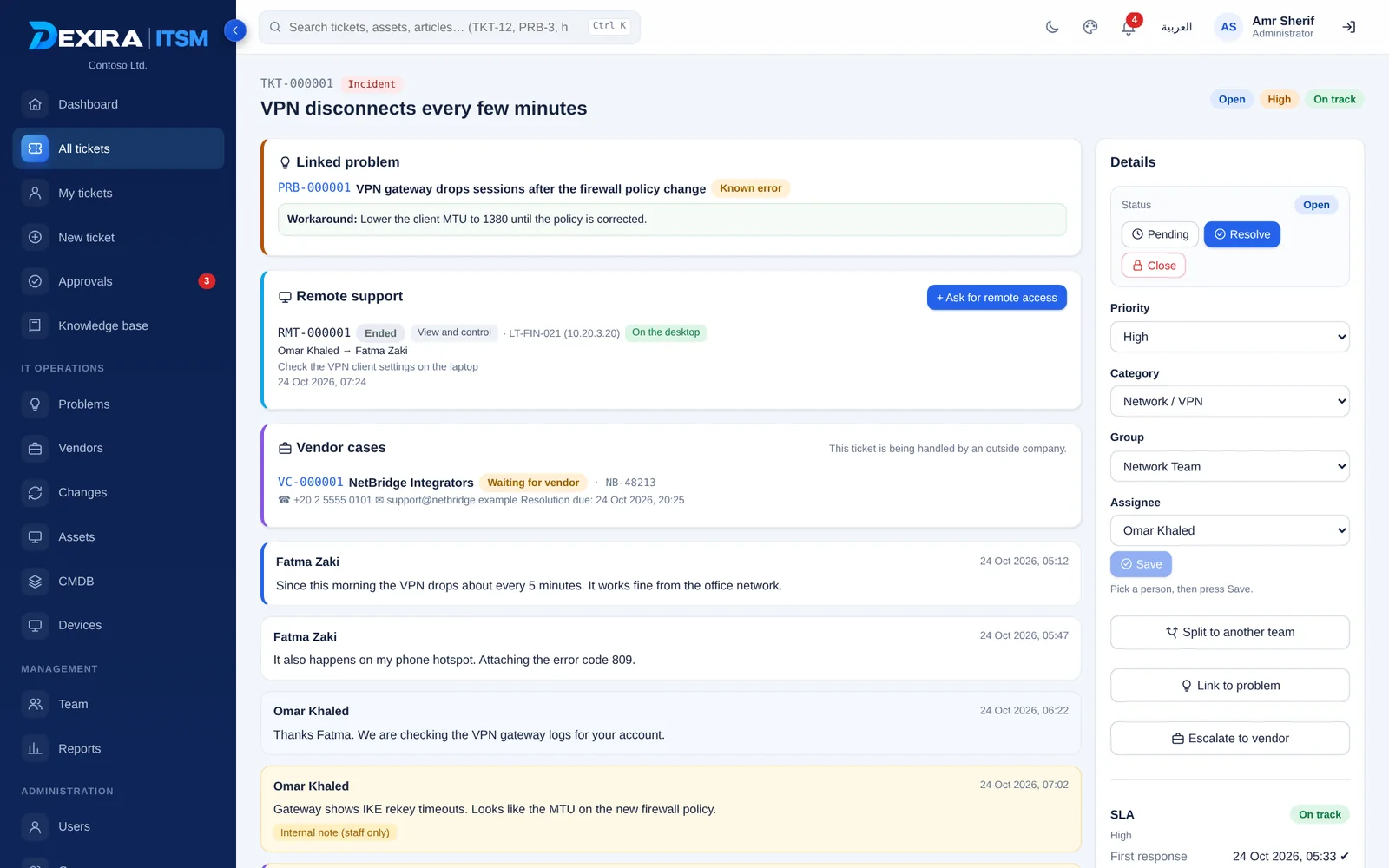
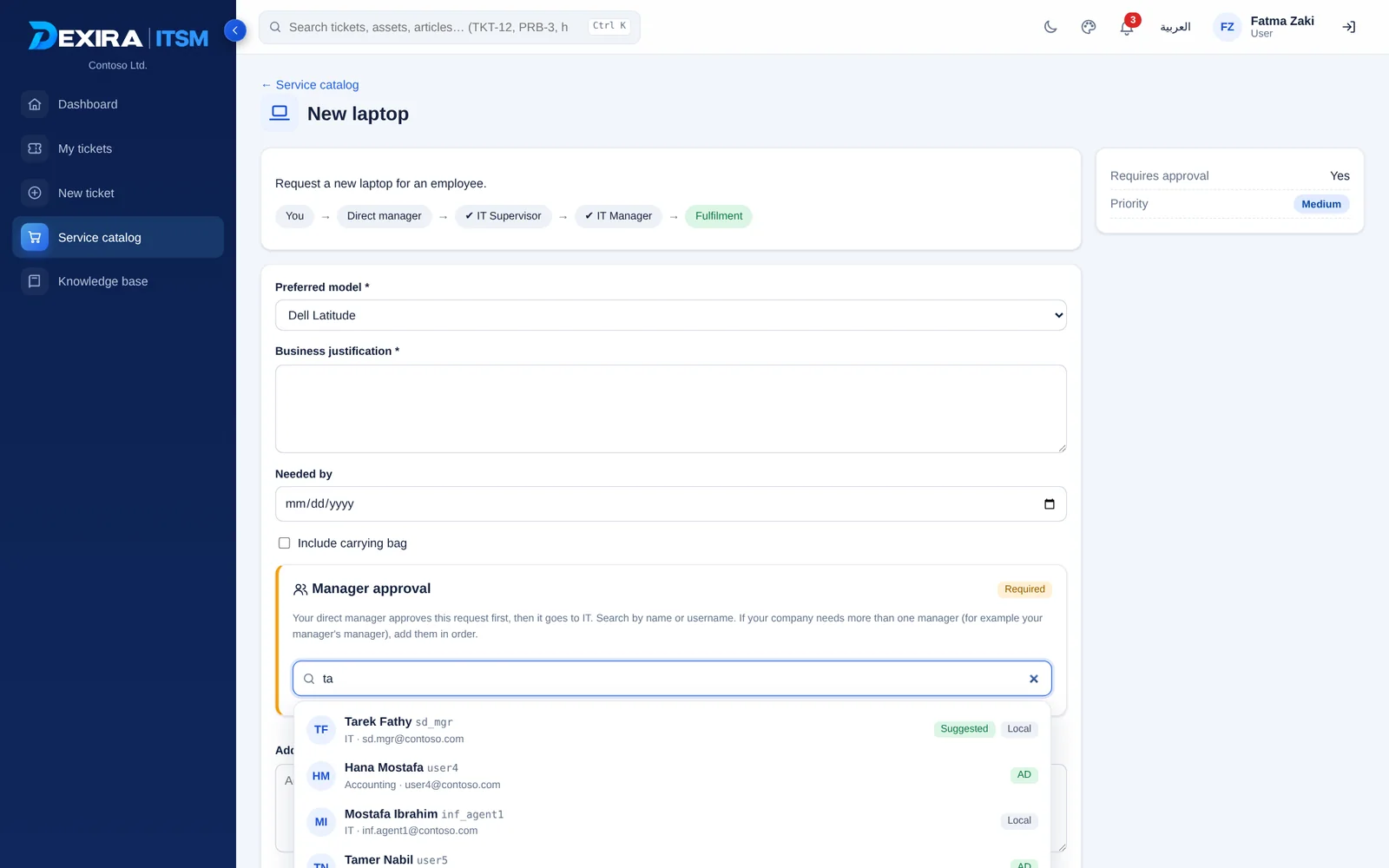
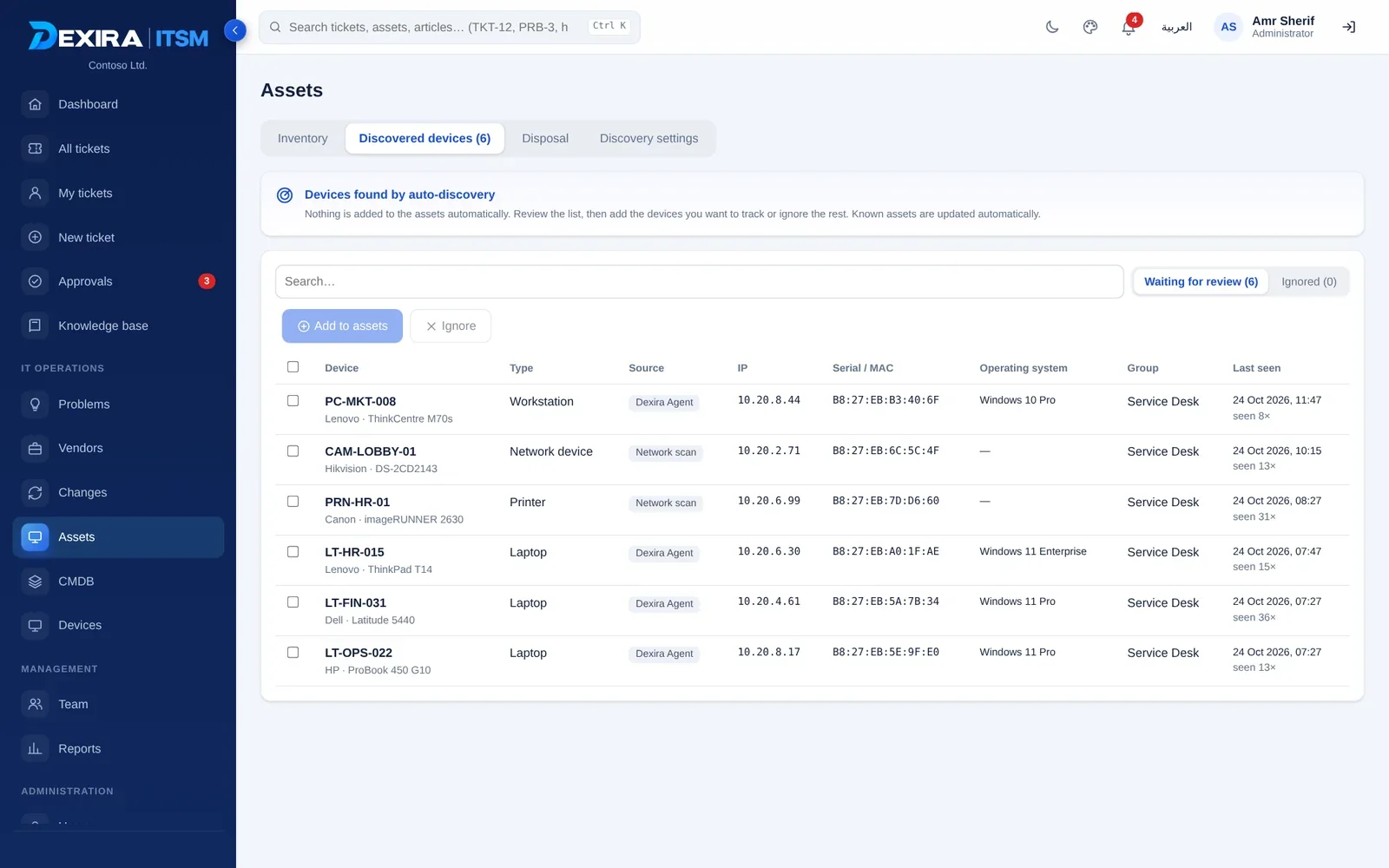
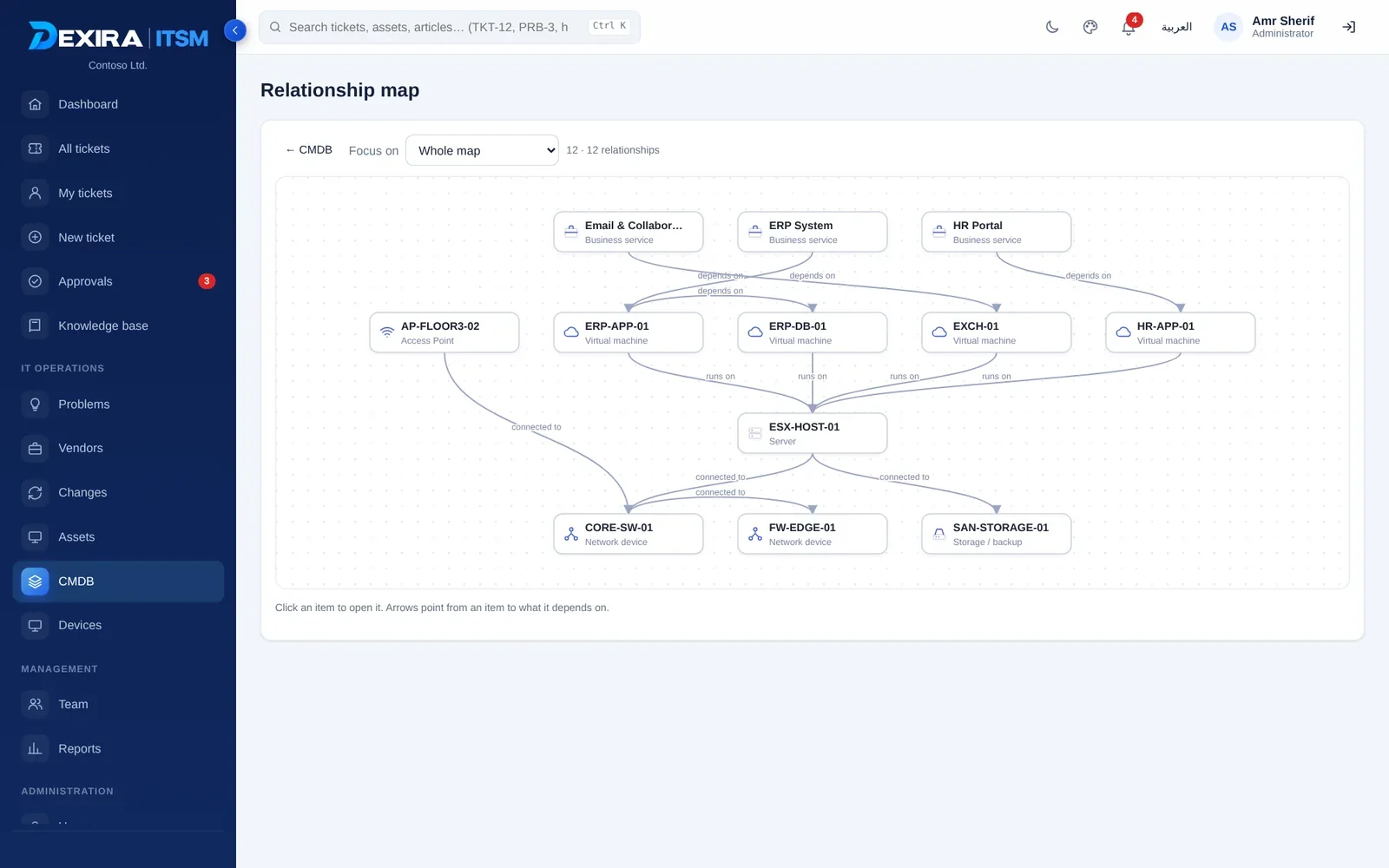
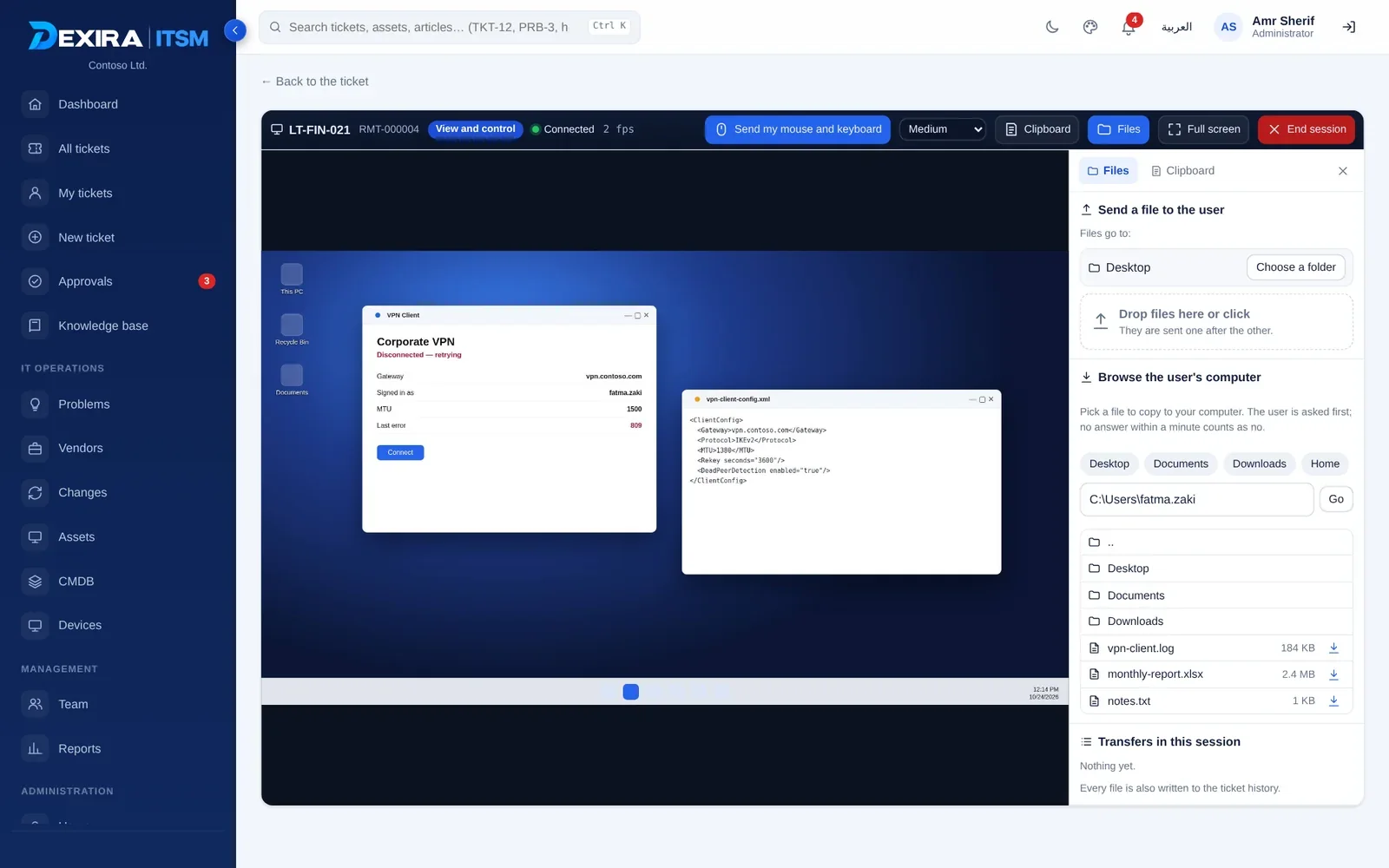
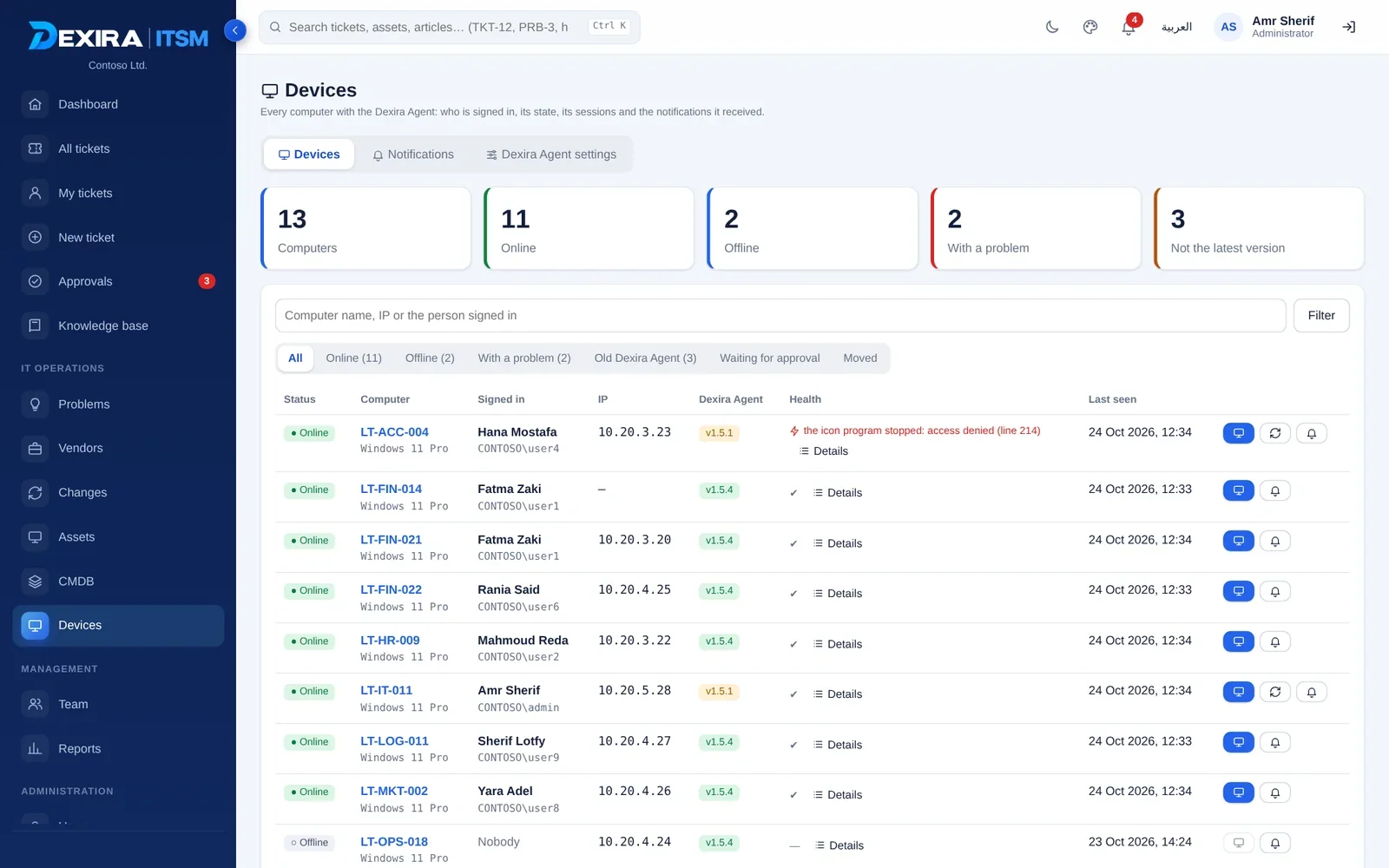
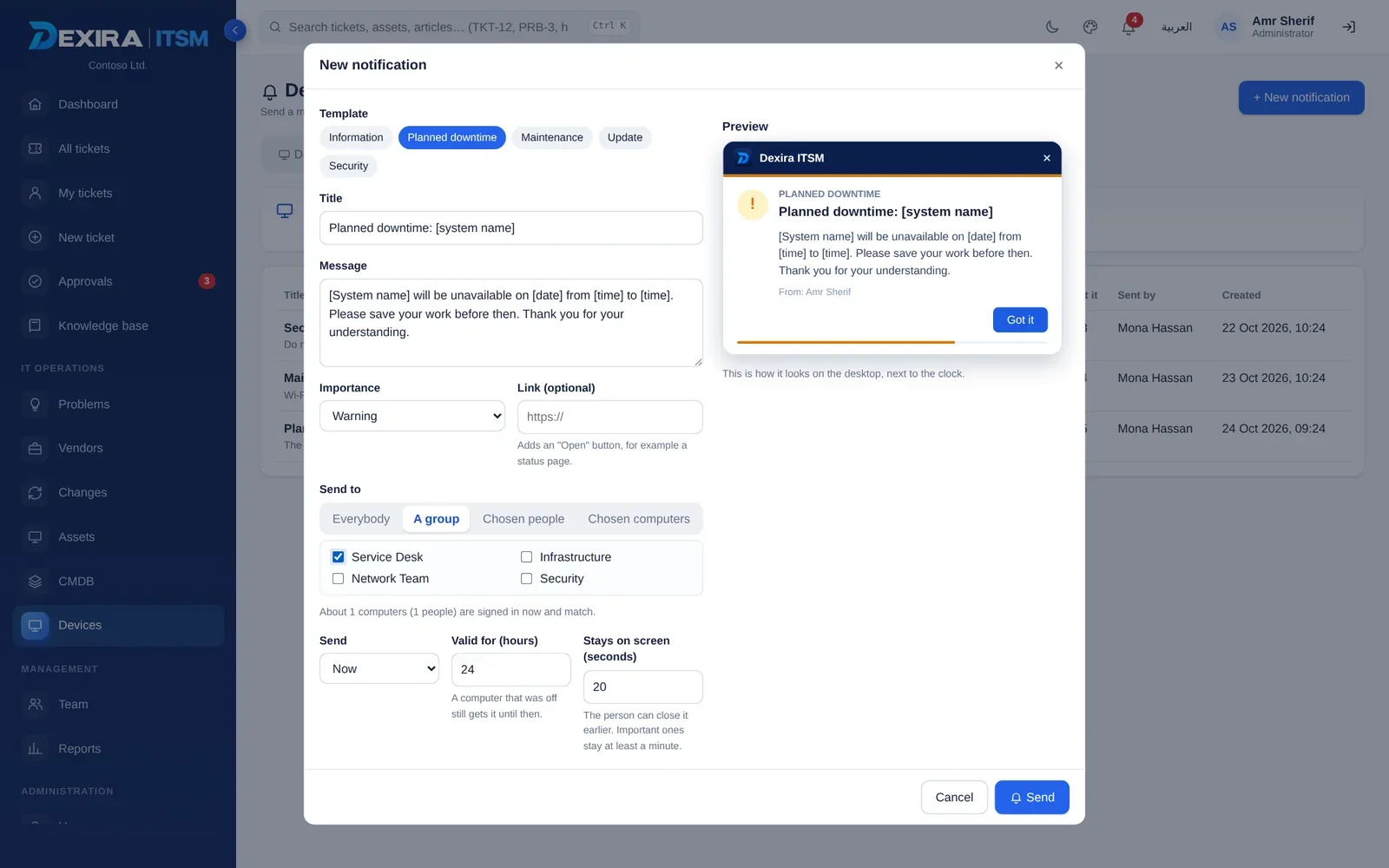
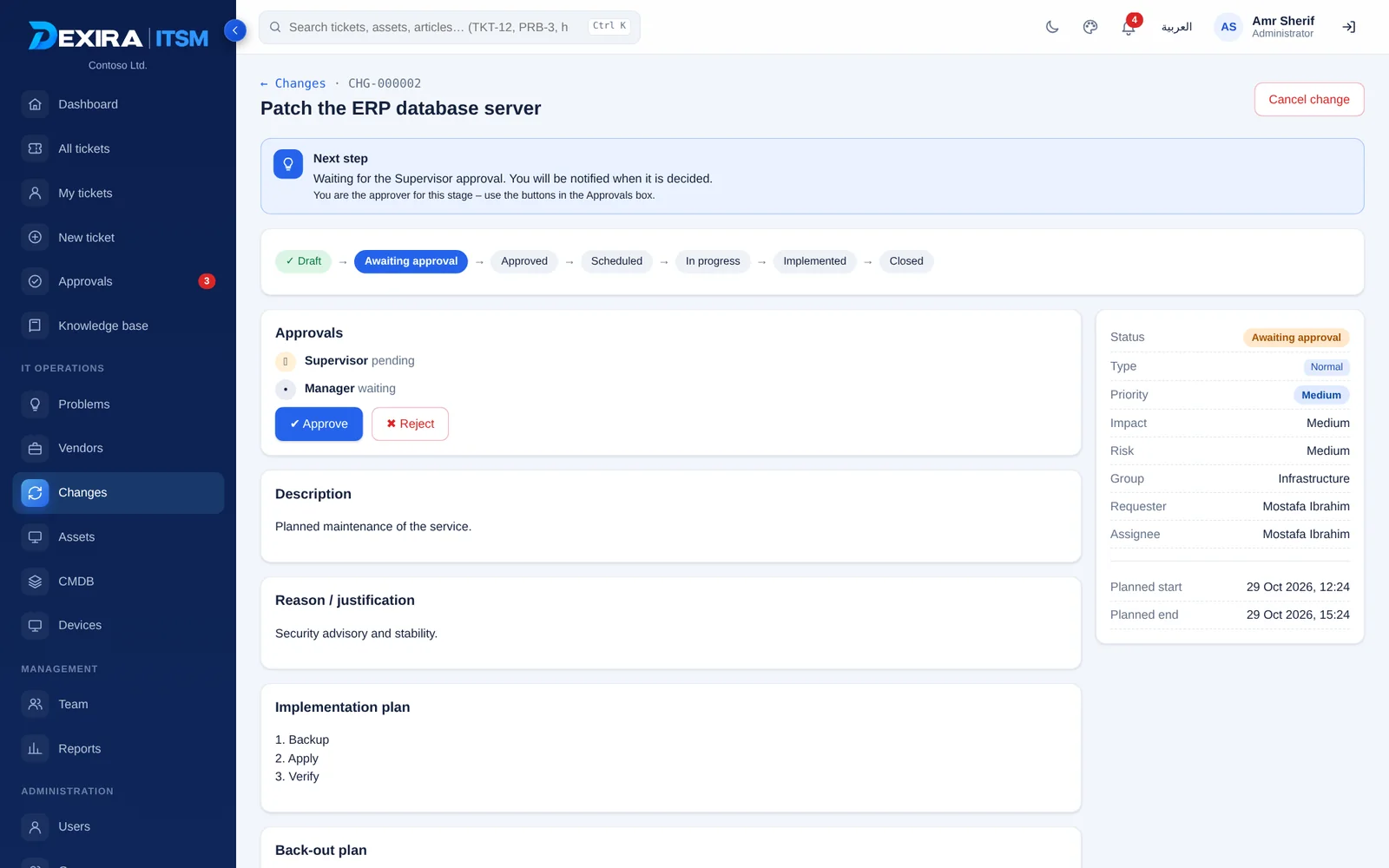
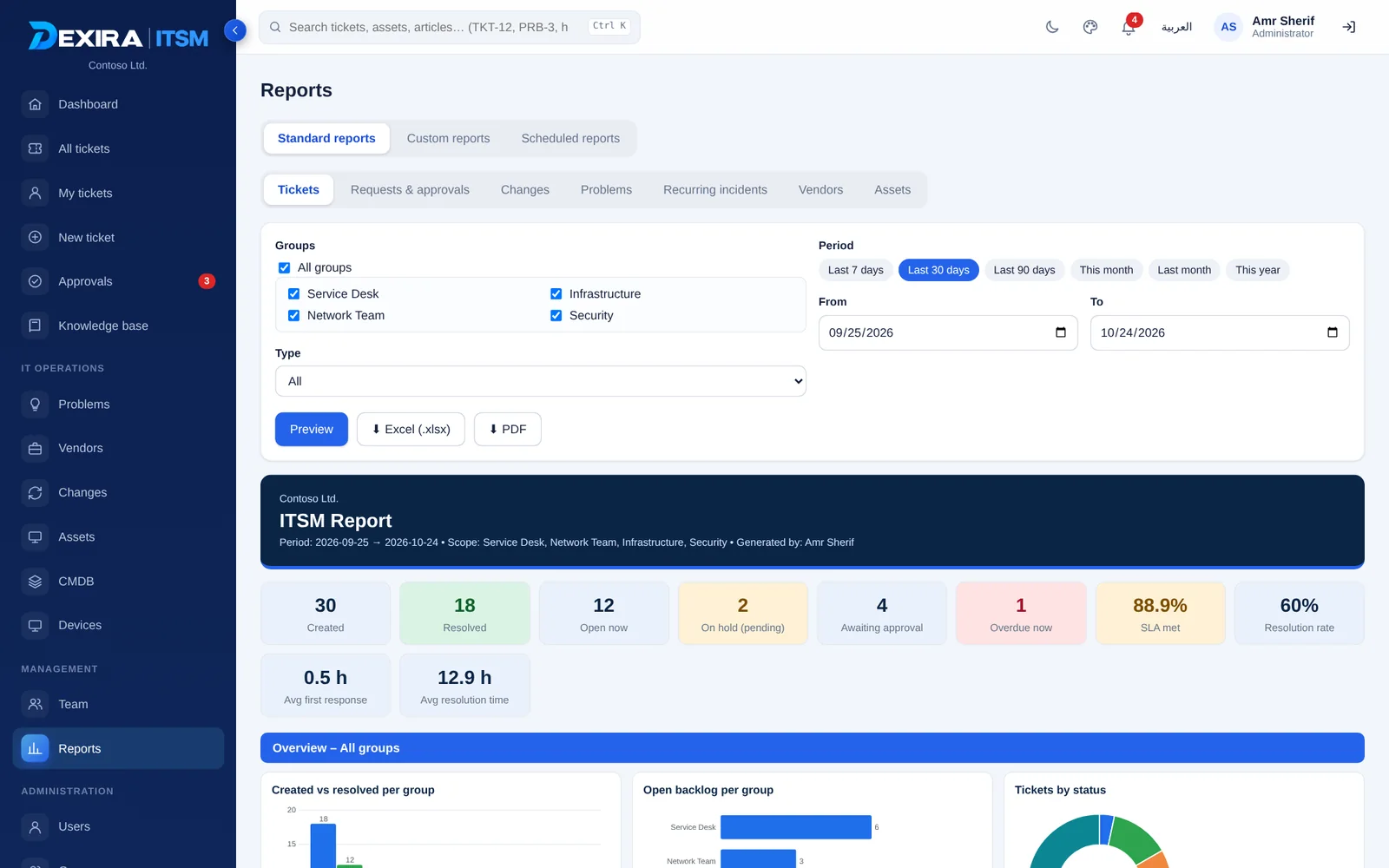
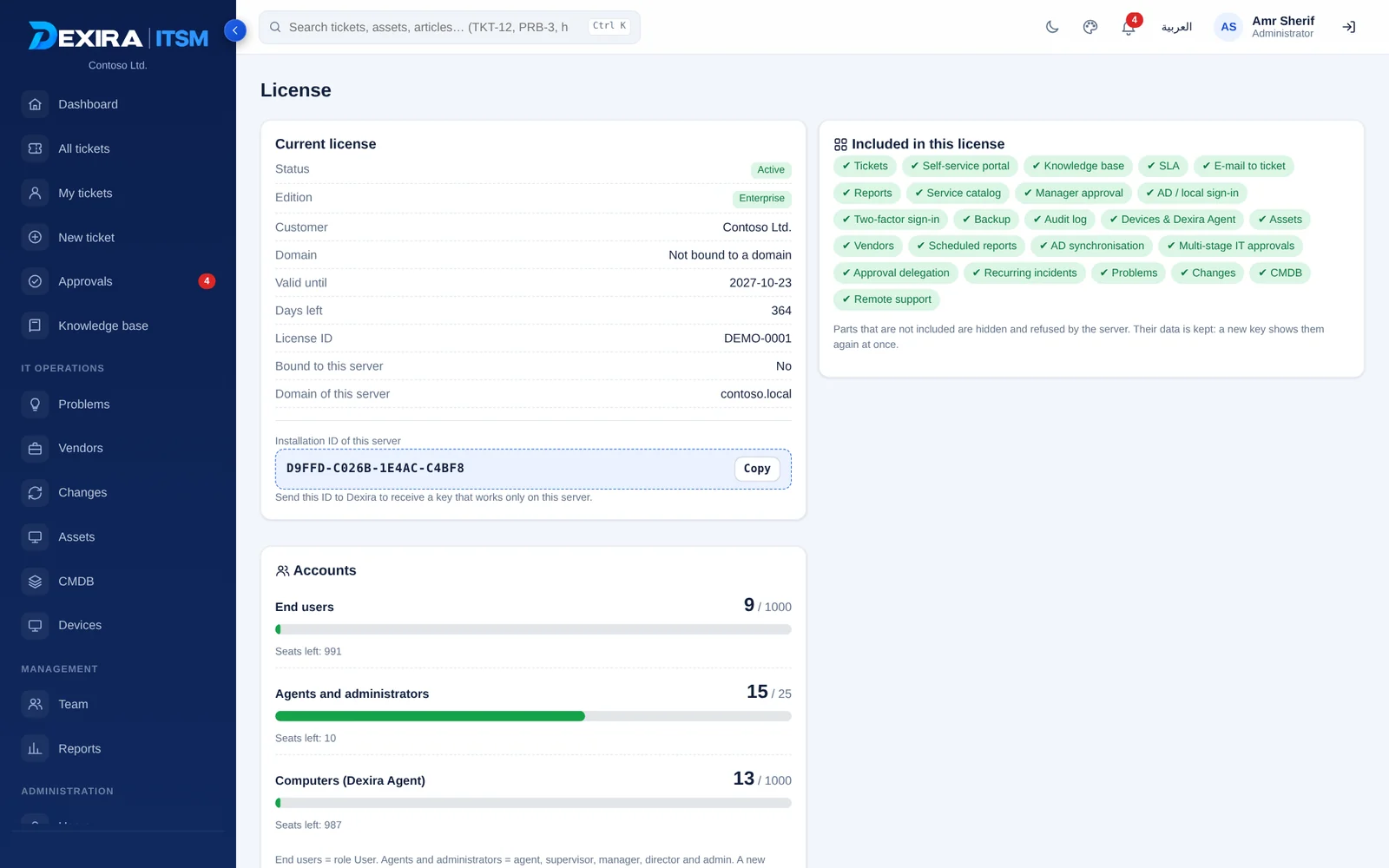
Interface preview with sample data.
Everything in the box.
Parts outside your edition are hidden and refused by the server; your data is never deleted.
Service desk
Incidents and requests, SLA on business hours and holidays, tasks, canned replies, internal notes and splitting work to another team.
Email to ticket
Reads an IMAP mailbox; a reply with the ticket number becomes a comment, loops and auto-replies are ignored.
Service catalog
Services with custom forms, task templates and an approval path for each one.
Direct-manager approval
Local or Domain manager groups per request, up to five levels, with “also allow choosing people”.
IT approval stages
Supervisor, Manager and Director stages, reminders, delegation while away and admin override.
Knowledge base
Draft, review and publish; Arabic-aware search, voting, and suggestions while a ticket is typed.
Automation
Rules on create, update or time: assign round-robin or least-loaded, escalate, notify, hand to a vendor.
Assets & discovery
Agent inventory, AD computers and network scans, a review queue and a disposal register.
CMDB
Type designer, relationship map, impact analysis, business views and review-first discovery.
Problem management
Root cause, workaround and permanent fix; the workaround shows on every linked ticket.
Change management
Standard, normal and emergency changes, CAB workflows, conflict detection and a calendar.
Vendors
Contracts, contract SLA, cases tracked per ticket, a vendor portal and expiry alerts.
Reports
Standard, custom and e-mailed reports as PDF and Excel, with full Arabic right-to-left.
Remote support
Screen, mouse, keyboard, clipboard and files inside the browser, approved by the user each time.
Dexira Agent
One light agent: inventory, presence, notifications, remote consent and self-update.
Desktop notifications
Downtime, maintenance and security templates, targeted to groups, people or computers, with receipts.
Identity & access
Active Directory or local sign-in, two-factor policies, and rights per member of each group.
Audit, backup, licensing
A full audit log, scheduled backups, HTTPS, server move and three license editions.
Service desk
Incidents and service requests with full history, and the tools that keep the queue moving.
- SLA clocks that follow business hours and holidays, paused while waiting for the user
- Tasks, internal notes, canned replies and file attachments on every ticket
- Split part of the work to another team as its own ticket, both tickets follow each other
- Create tickets from an IMAP mailbox; replies join the right ticket
- Recurring incidents are detected and offered as a Problem
- Pages update by themselves: no refresh to see new tickets or replies
Service catalog & approvals
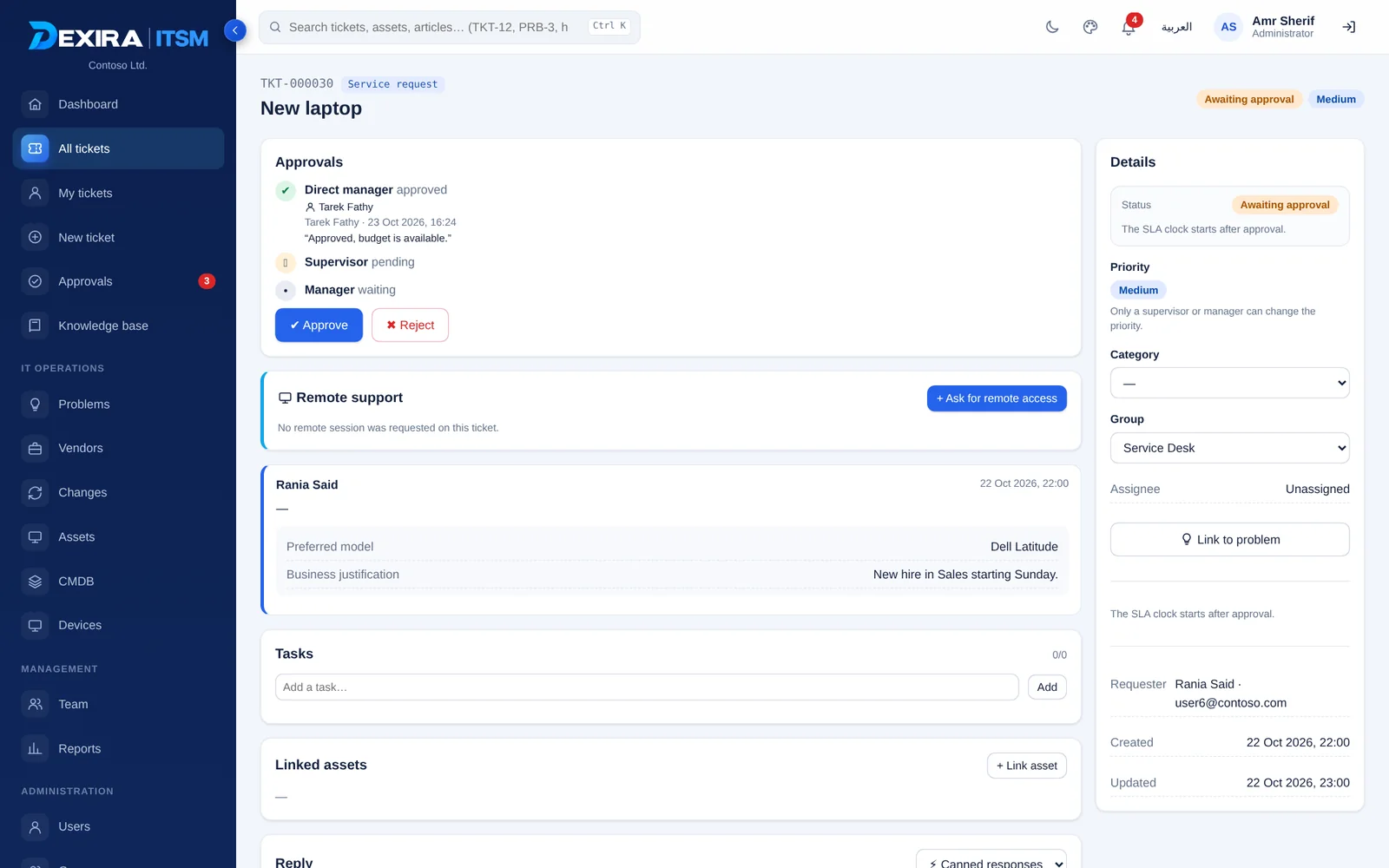
Approvals that follow your organization instead of forcing a fixed chain.
- Manager groups per request: Local or Domain, required or optional, up to five levels
- “Also allow choosing people” lets the requester search beyond the groups
- A domain user picks approvers from his own domain only
- IT stages: Supervisor, Manager, Director, with reminders and delegation while away
- Requesters see which party currently holds the request, and can send a rejected one again
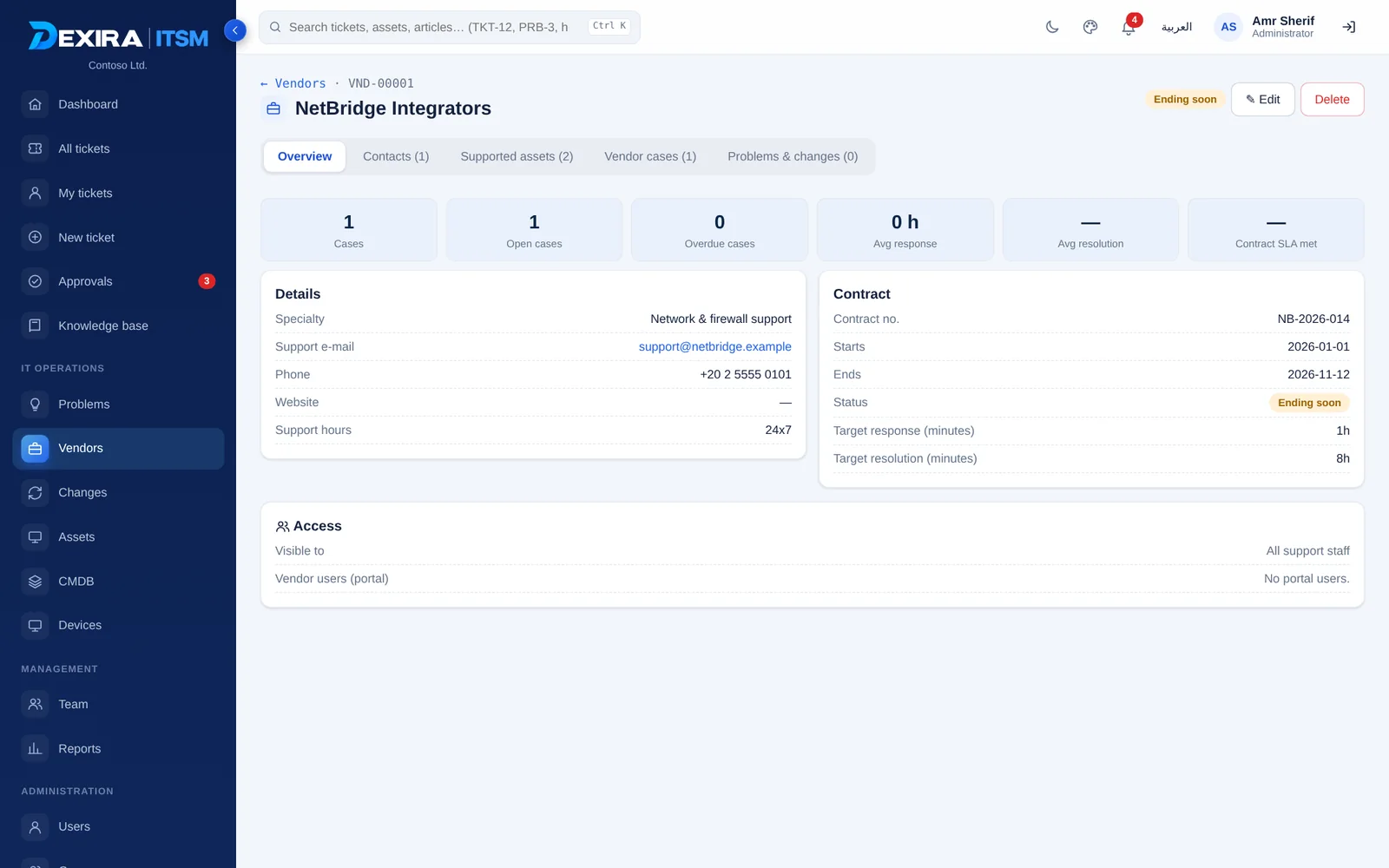
Assets & discovery
Devices register through Dexira Agent and appear on their own, ready to be organized.
- Hardware and software inventory from the agent; AD computers and network scans too
- New devices wait in a review list; you add one, many or all, choosing the group or groups
- One asset can belong to several groups; members see only their groups’ assets
- View, edit, or edit-and-delete rights per member, for assets and CMDB apart
- Disposal register, warranty tracking, CSV and Excel import and export
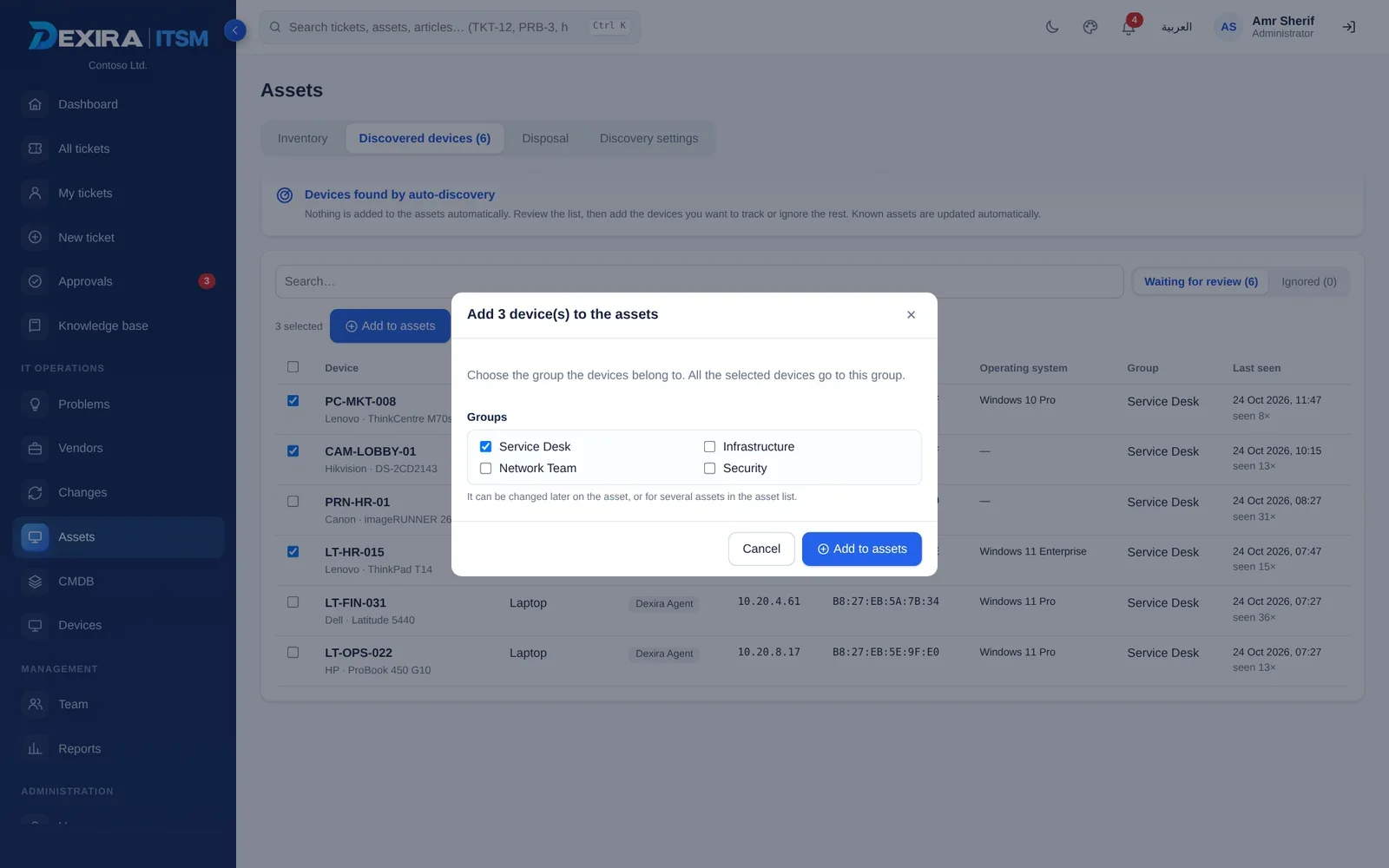
CMDB ENTERPRISE
Configuration management with a review step, so the CMDB stays accurate.
- Discovered devices are reviewed before they enter the CMDB, one, several or all at once
- You choose the type (Laptop, PC, Server...) and the groups that see each device
- Who may review is set per group, for assets and for the CMDB separately
- Relationship map, impact analysis, downtime records and business views
- A type designer with your own fields
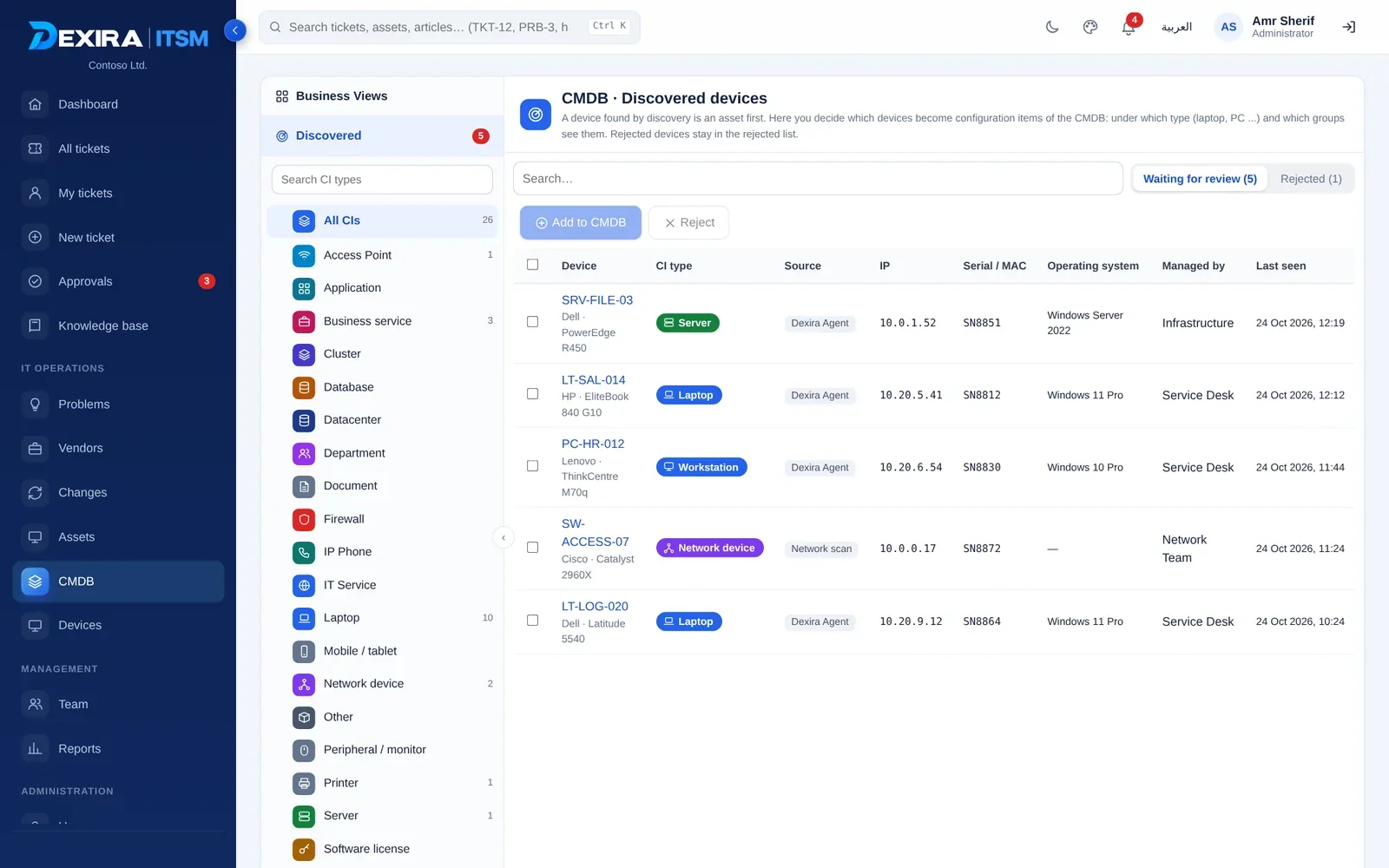
Changes & problems ENTERPRISE
The ITIL practices that stop the same fault from coming back.
- Problems carry root cause, workaround and permanent fix; the workaround shows on linked tickets
- Changes: standard, normal and emergency, with plans, back-out plans and risk
- Approval workflows you design: a role, an approving group (CAB) or a named person
- Conflict detection on shared assets, a calendar, and assets shown as in maintenance
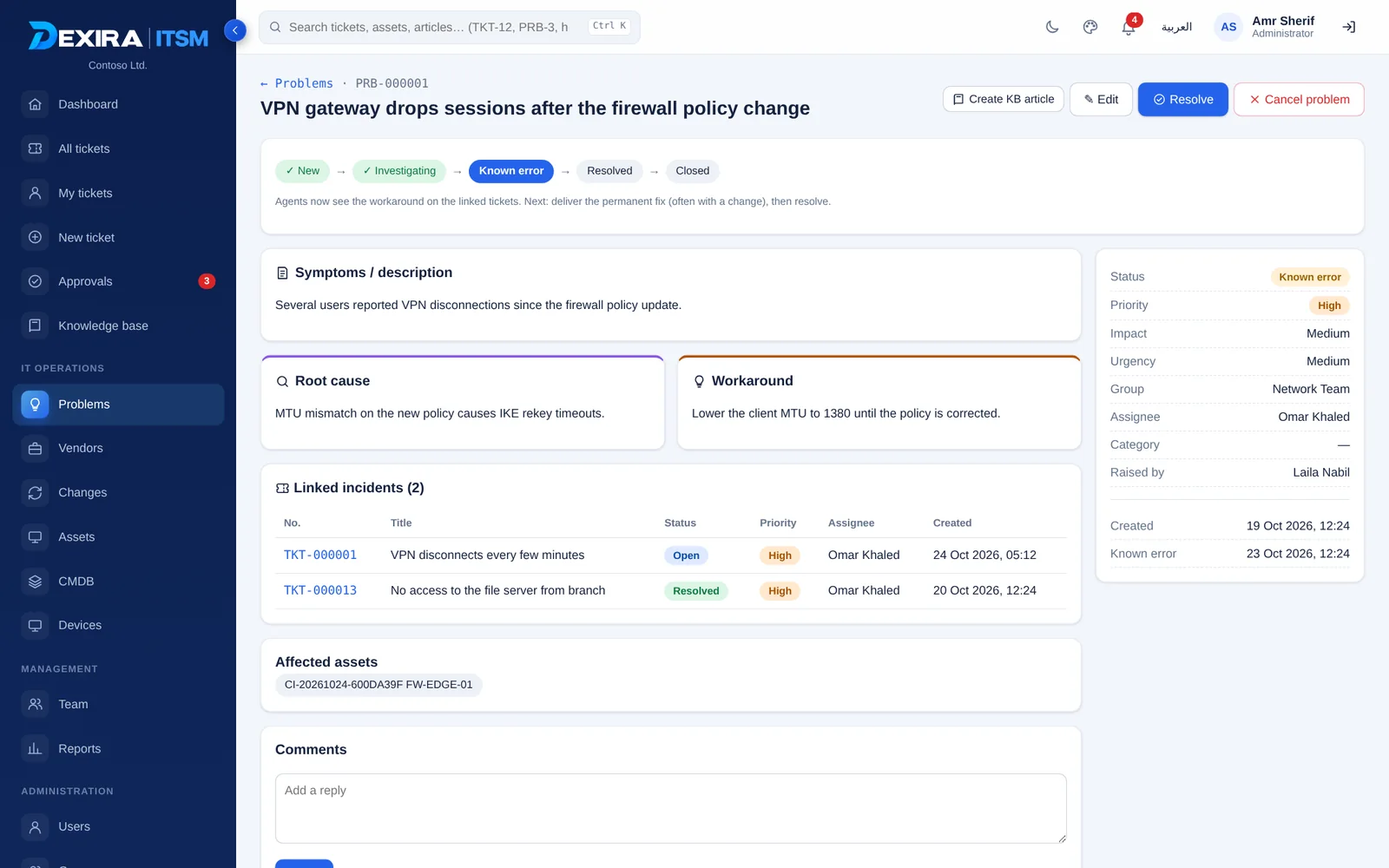
Vendors
Outsourced support, tracked like any other ticket.
- Contracts, contract SLA targets, contacts and the assets each vendor supports
- Hand a ticket to a vendor, log replies, e-mail them, and see overdue cases
- Vendor staff can sign in to a portal that shows only their company’s cases
- Alerts before a contract ends
Reports
Numbers management reads, in the language it reads.
- Tickets, requests, changes, problems, recurring incidents, vendors and assets
- A custom report builder and reports saved for the team
- E-mailed on a schedule as PDF and Excel, with full Arabic right-to-left
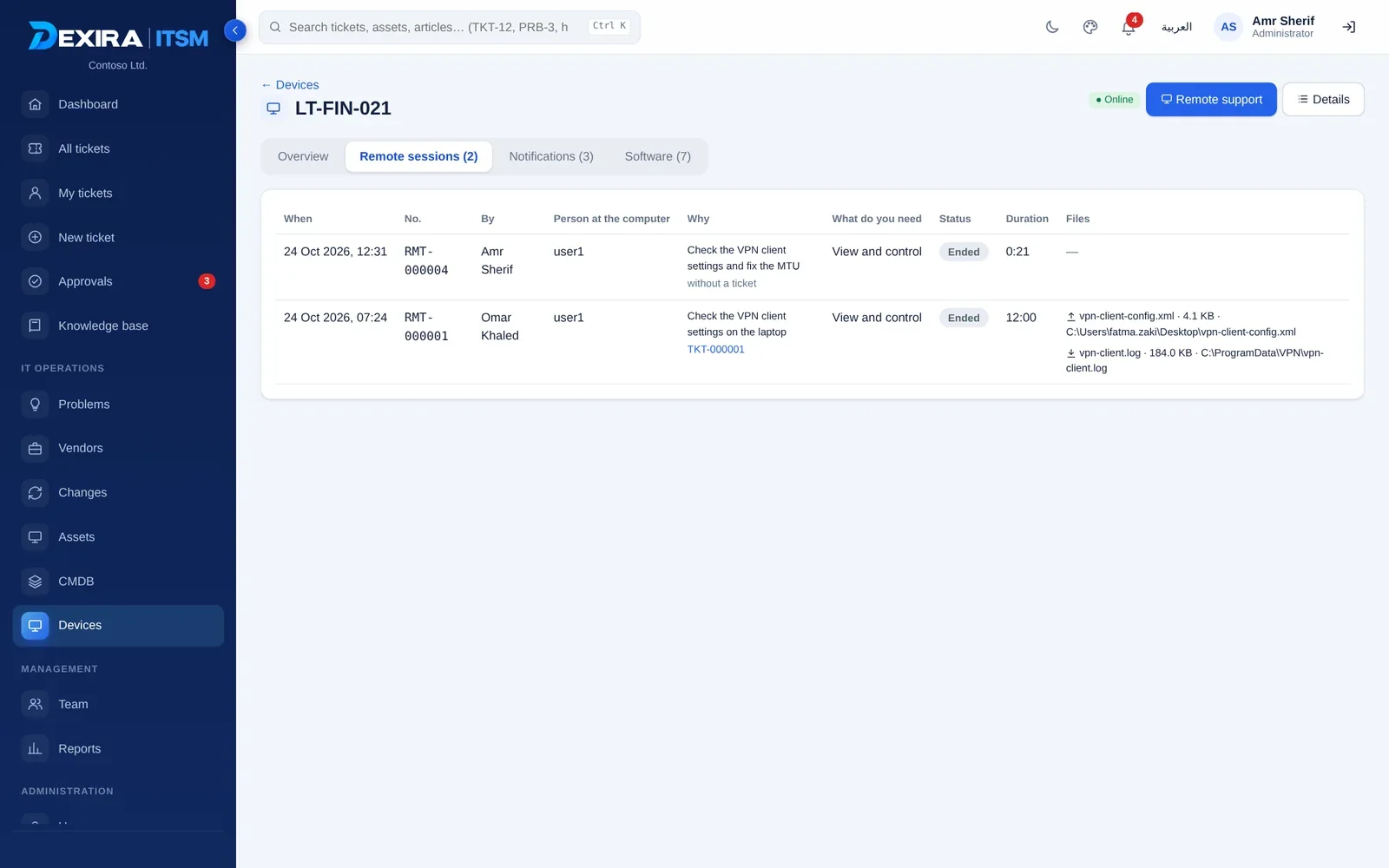
Remote support, entirely inside Dexira.
The screen opens in the browser through the agent. No third-party tool, no external link, and every step is written to the ticket.
The remote desktop in this picture is a sample screen, shown inside the real Dexira viewer.
- View only, or view and control, approved by the user per session
- Clipboard and file transfer in both directions; pulling a file from the user needs his separate yes
- Start from a ticket, or without one from Devices with a stated reason
- A token per session, a visible stop button, and a clear banner for the user
- Session summary, file names and sizes are written to the ticket history and the audit log
- Not shown: the lock screen and UAC prompts; some security products may ask for an exception
Dexira Agent
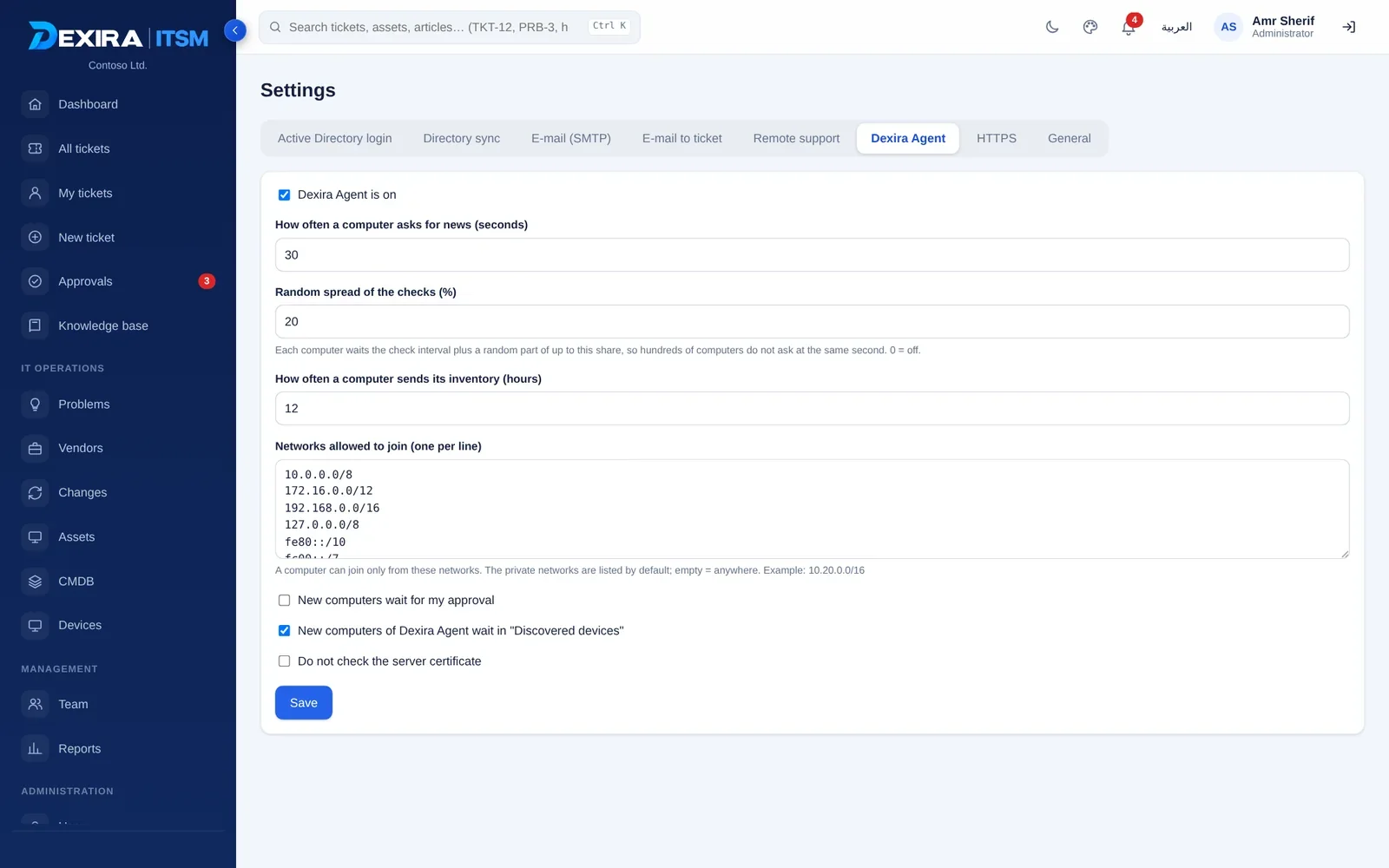
One lightweight Windows agent does the work, so users do not have to sign in to anything.
- One package from the admin area, installed with no parameters
- Deploy with a batch file, PowerShell or Group Policy
- A heartbeat shows each device online or offline, and what is wrong with it
- The tray icon can be closed only with a password the admin sets
- Self-update: per device or all outdated devices at once
- Move to a new server: computers switch only when the new server answers and knows them
- Admins decide who may send notifications or ask for remote access
Desktop notifications
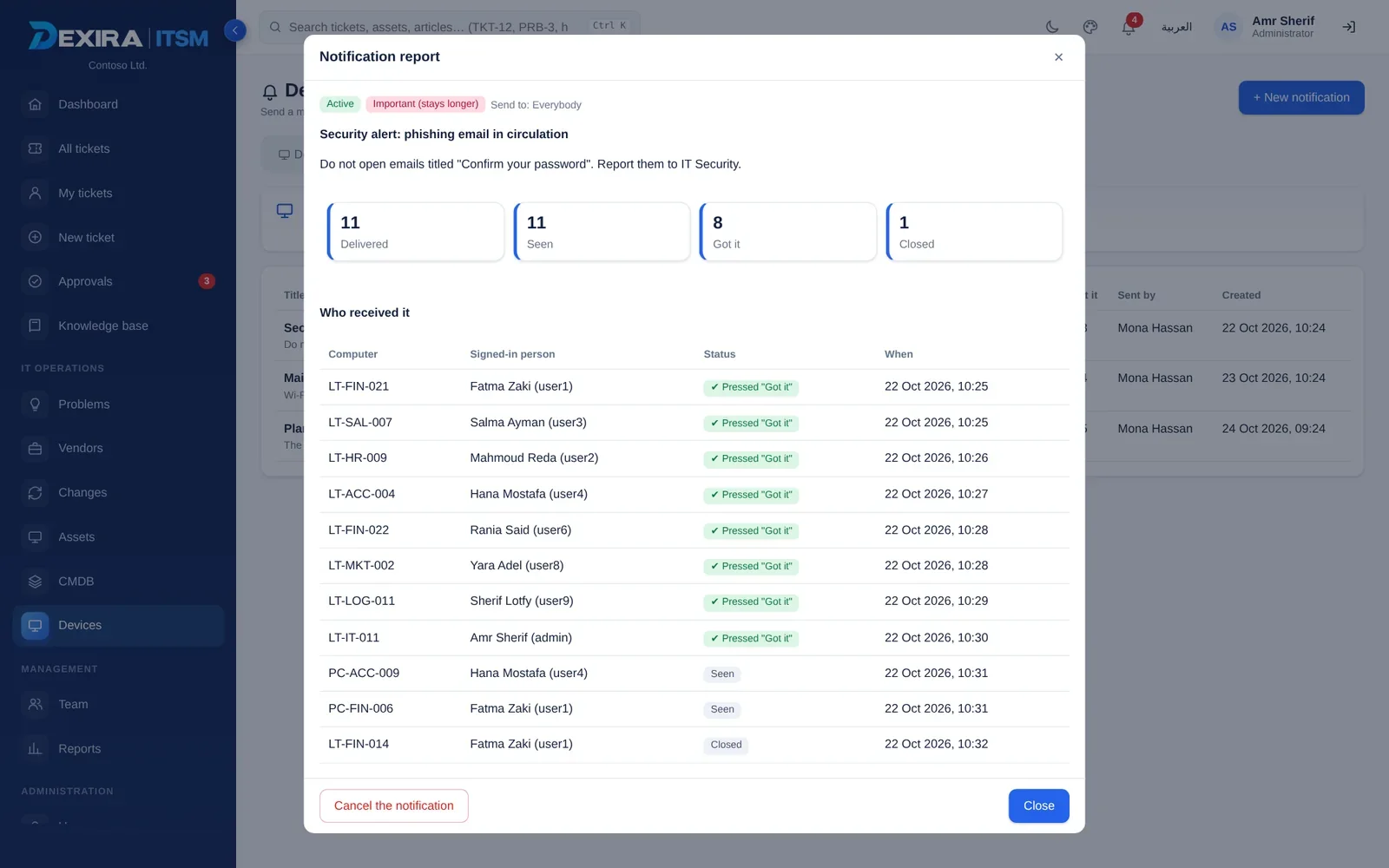
Reach users on their screen, beside the clock, without opening a browser.
- Templates for downtime, maintenance, updates and security, with Dexira branding
- Target everyone, a group, chosen people or chosen computers; send now or schedule
- A live preview of the pop-up while you write it
- A delivery report shows who received it, who saw it and who pressed “Got it”
Sign in the way your organization already works.
And control who may do what, with a record of everything.
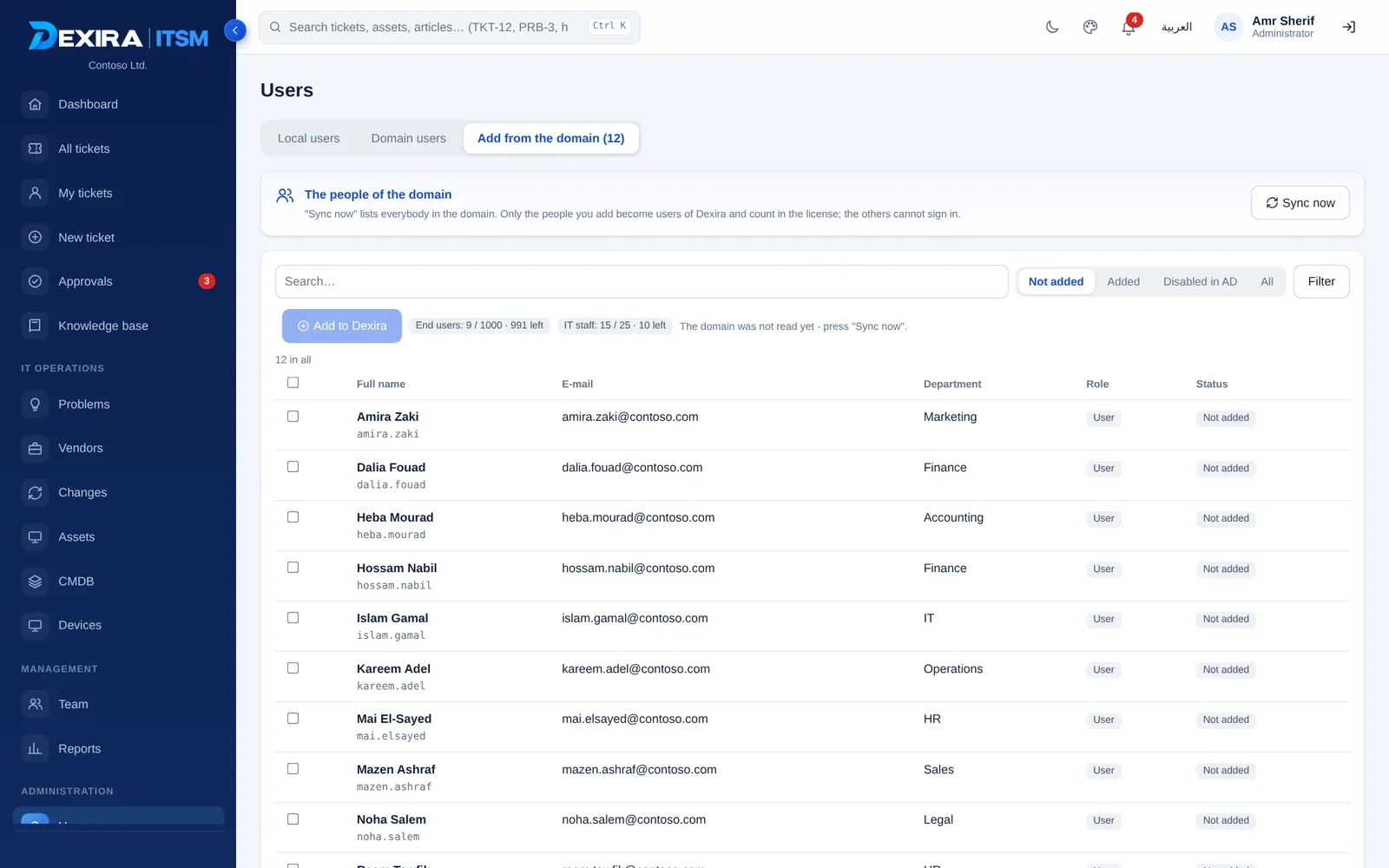
- Active Directory (LDAP, LDAPS or StartTLS) plus local users, on two login tabs
- You choose which domain people become users, so the license is never used by surprise
- Two-factor sign-in: optional, required for IT staff and admins, or required for everyone
- Roles from user to administrator, and rights per member inside each group
- A complete audit log with filters, covering what administrators do too
- HTTPS with your certificate, scheduled backups, restore, and server relocation
No software protection is absolute, so Dexira combines several layers: protected builds, a license bound to your server and signed release files.
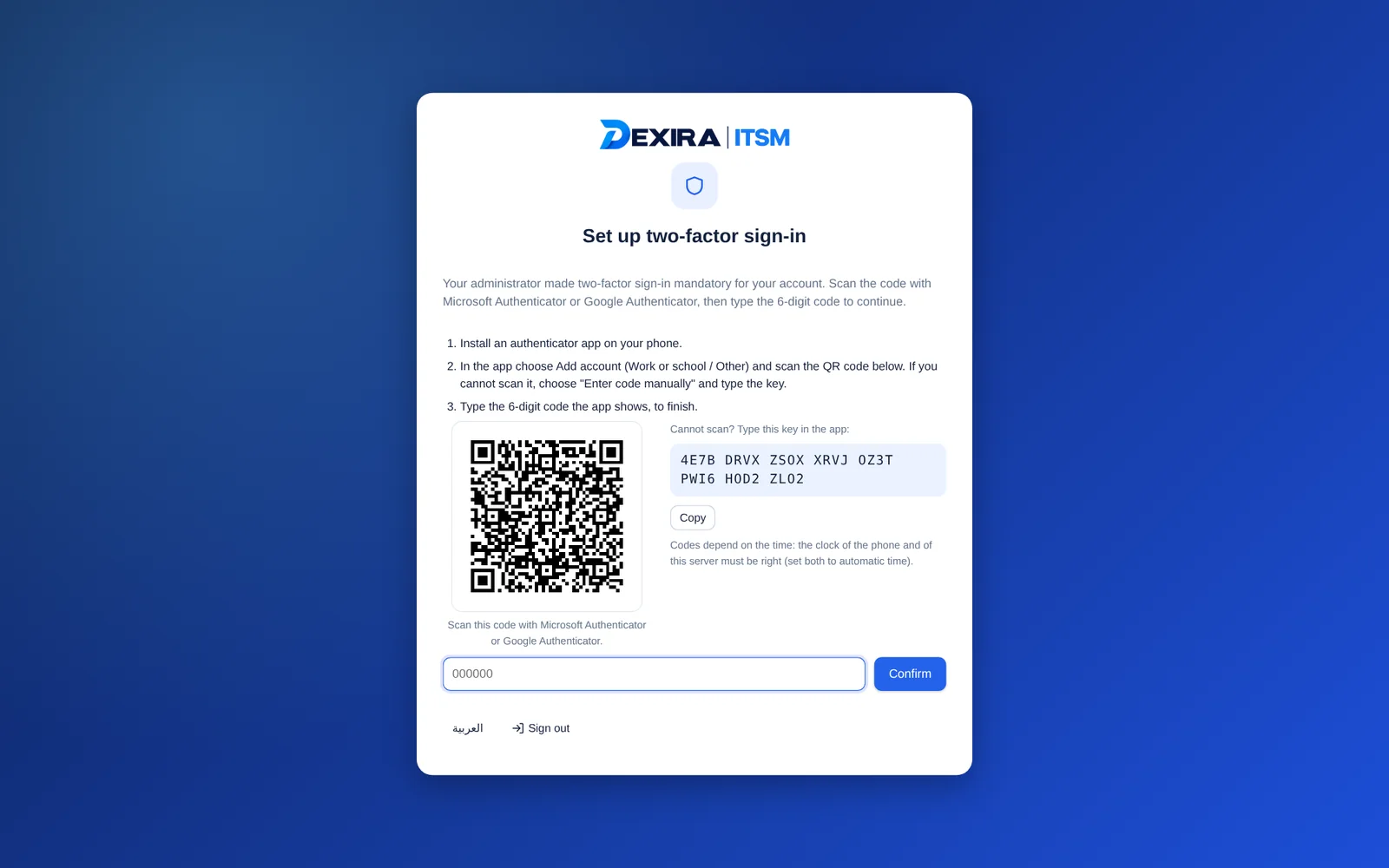
Two-factor set-up
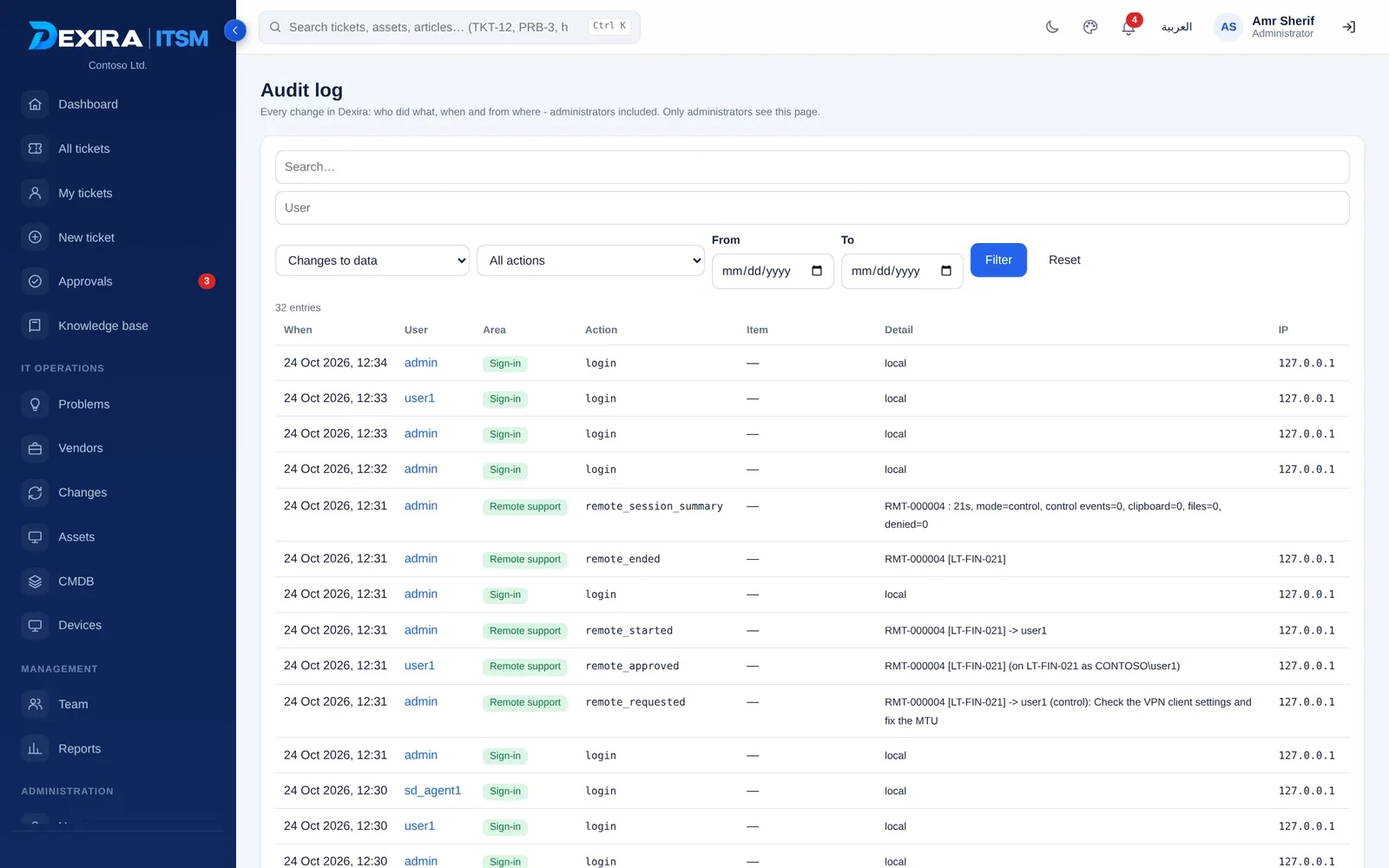
The audit log
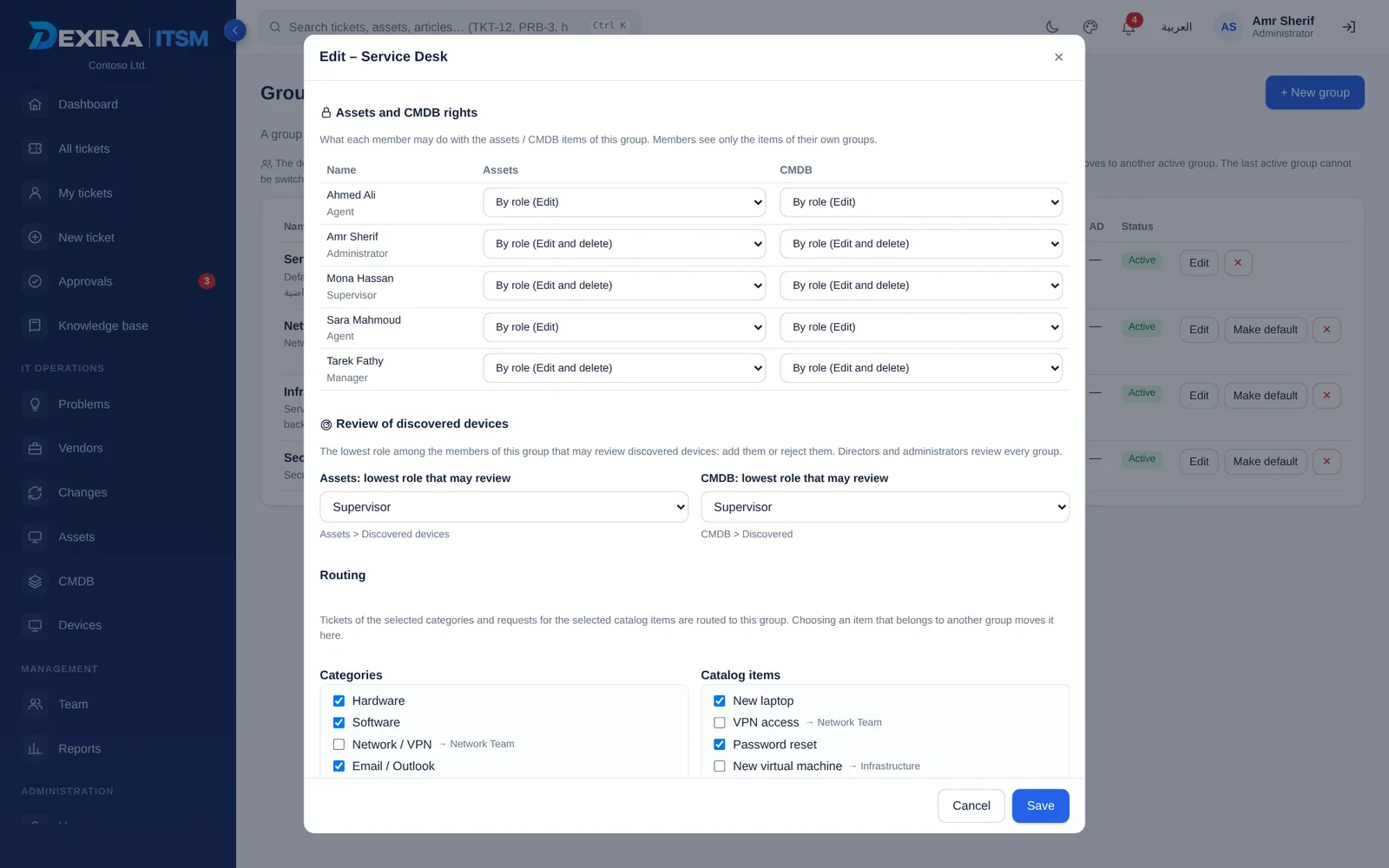
Rights and review roles per group
Choose the edition that fits your team.
Each edition includes everything in the one before it. Pricing is tailored to your team: tell us your numbers and we will send a quotation.
| Capability | Standard | Professional | Enterprise |
|---|---|---|---|
| Service desk: incidents, requests, email-to-ticket | ✓ | ✓ | ✓ |
| Approvals, manager groups and workflows | ✓ | ✓ | ✓ |
| Knowledge base, SLA, reports, audit log | ✓ | ✓ | ✓ |
| Active Directory, local users and 2FA | ✓ | ✓ | ✓ |
| Backup, HTTPS and update tooling | ✓ | ✓ | ✓ |
| Assets, discovery and disposal register | — | ✓ | ✓ |
| Devices and Dexira Agent: inventory, presence, notifications | — | ✓ | ✓ |
| Vendors, scheduled reports, AD sync, delegation | — | ✓ | ✓ |
| Multi-stage IT approvals and recurring-incident detection | — | ✓ | ✓ |
| Remote support: view, control, clipboard, files, with or without a ticket | — | ✓ | ✓ |
| Problem management | — | — | ✓ |
| Change management and workflows | — | — | ✓ |
| CMDB, Business Views | — | — | ✓ |
Three independent limits
Limits for end users, IT staff and admins, and computers or devices.
Hidden when not licensed
Sections outside your edition are hidden in the interface and refused by the server.
One-week trial
Try the platform for a week before you commit.
Renewal you control
A warning 30 days before expiry, a 14-day grace period, then read-only mode. Your data stays safe.
Extend or replace
Extend with a key, replace the license after a comparison view, or delete it with the admin’s password.
Bound to your server
Each license is tied to your server’s Installation ID, with a defined transfer process.
Up and running in three steps.
Install the server
Install Dexira ITSM on your Windows server, connect it to Active Directory and enable HTTPS.
Deploy the agent
Download one agent package and roll it out by batch file, PowerShell or Group Policy.
Run your service desk
Devices appear automatically, staff receive the right permissions and requests flow through your approvals.
Updates are delivered as a ZIP package with a SHA-256 hash, applied with one click and rolled back automatically if something fails.
Questions, answered.
Where is Dexira ITSM hosted?
On your own Windows server. Your data stays on infrastructure you manage.
Is the interface available in Arabic?
Yes. The whole interface, e-mails and PDF or Excel reports work in Arabic with right-to-left layout, and each person chooses his language.
Does remote support need third-party tools?
No. It runs through Dexira Agent and opens inside the Dexira web interface, with the user’s approval.
Can users refuse a remote session?
Yes. The user approves every session, chooses view-only or view and control as offered, sees a banner, and can stop it at any time.
How is licensing counted?
By three independent limits: end users, IT staff and admins, and computers or devices.
What happens when a license expires?
A warning appears 30 days earlier, followed by a 14-day grace period and then read-only mode. Your data is never deleted.
Is there a trial?
Yes, a one-week trial.
See Dexira ITSM on your own devices.
We will walk through the modules that matter most to your team.